
by Kikansha / KOTXXX
The REAL
#ROManniversary
Banner is here!
Just download the providing PSD file and open it via Meiker.io (Free registration required)Instructions:
(ภาษาไทยด้านล่าง)After logging in, go to Creator Area and upload my PSD to launch the banner maker. Wait for the file to be fully analyzed and then ... Here You Go!Please just STOP at Step 2 and only use the preview tool to create your ROManniversary banner. You can create and save the finish image like normal anyways. Click the purple checkmark button at the right upper corner of the image when you finished.(DO NOT continue to Step 3 and 4, since Meiker.io doesn't allow you to publish anything from copyrighted contents. Just use the File Previewer tool in Step 2 is enough.)
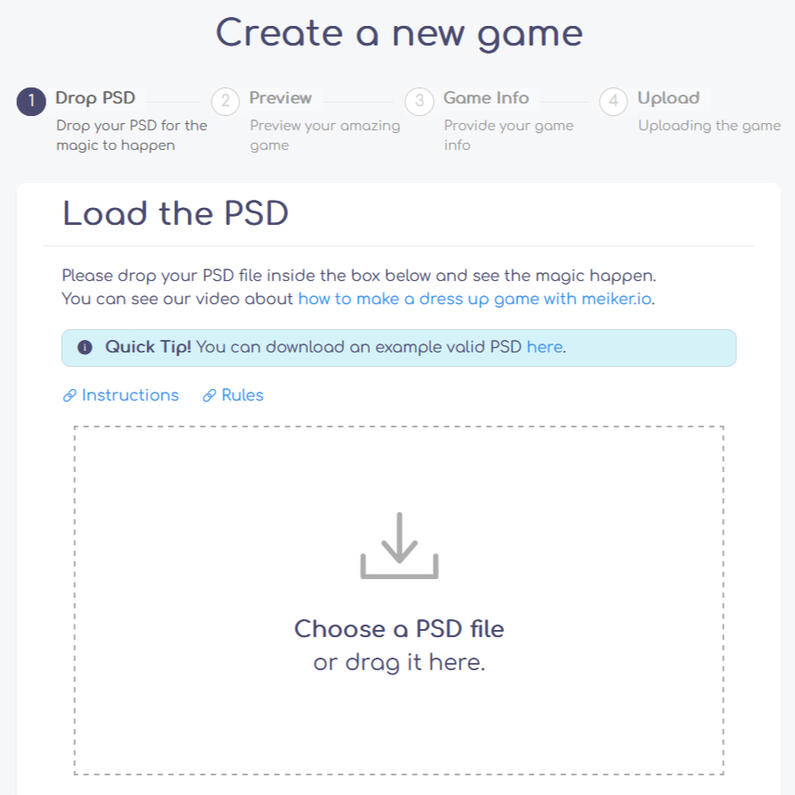
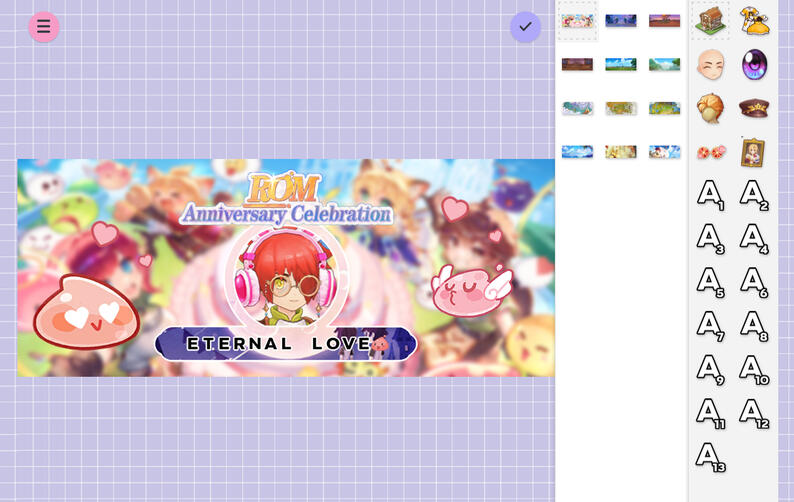
วิธีการใช้งาน:ดาวน์โหลดไฟล์ PSD จากลิงค์ด้านบน แล้วนำไฟล์ดังกล่าวไปเปิดผ่านเว็บไซต์ Meiker.io (จำเป็นต้องสมัครสมาชิก [ฟรี] ทั้งนี้สามารถล็อคอินด้วยบัญชี Facebook หรือ Google ได้)หลังจากล็อคอินแล้ว ให้ไปที่ Creator Area แล้วอัปโหลดไฟล์ PSD ที่ดาวน์โหลดมา เพื่อเรียกหน้าจอแอปพลิเคชั่นสำหรับสร้างแบนเนอร์ ROManniversary (รอไฟล์ analyze ตัวเองสักครู่)กรุณาอยู่แค่เพียงขั้นตอน Preview Tool (Step 2) ของเว็บไซต์เท่านั้นในการสร้างแบนเนอร์ ROManniversary โดยสามารถใช้เครื่องมือนี้ในการออกแบบและเซฟผลงานตามปกติ เมื่อสร้างเสร็จ ให้กดปุ่มติ๊กถูกสีม่วงด้านขวาบนของภาพเพื่อเซฟและดาวน์โหลดภาพที่เสร็จแล้วกรุณาอย่าอัปโหลดไฟล์ PSD นี้ขึ้นเผยแพร่ (Publish) เป็นผลงานจริงบนเว็บไซต์เป็นอันขาด (Step 3 เป็นต้นไป) เนื่องจากเว็บไซต์ Meiker.io ไม่อนุญาตให้อัปโหลดเนื้อหาที่มีลิขสิทธิ์
DISCLAIMER: I didn't own the images. All image used in this PSD file belonged to Ragnarok M: Eternal Love and Gravity Interactive, Inc.